
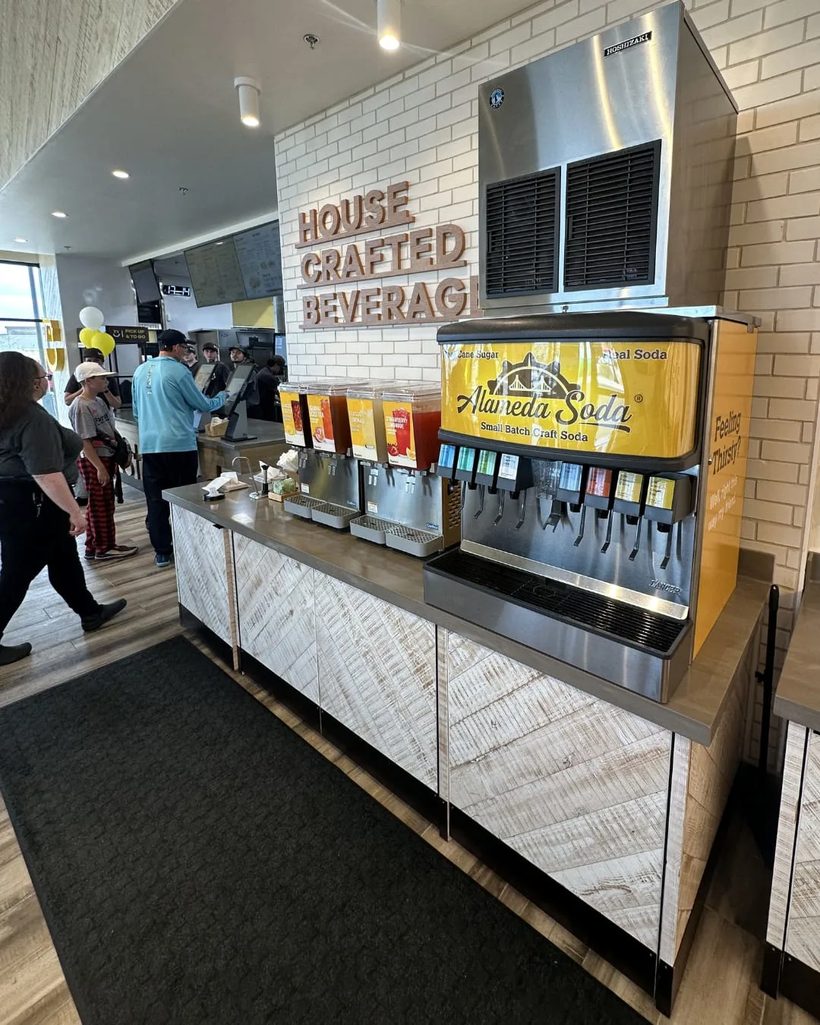
Soda Machine Dispensing Failures (Official Quick Fixes)
These are Brix / Alameda Soda's official step-by-step fixes for the "machine won't behave" family of problems — nothing pours, only gas or only syrup comes out, a valve sticks open, the syrup pump won't stop running, or the machine is noisy. Each flow below matches the printed troubleshooting card for that symptom (the full illustrated versions live in the Alameda Soda resource library). Work the steps in order; if the symptom survives the steps, file a service request or call us at 1-800-372-5098.
If anything here calls for disconnecting a fitting and you feel unsure, stop and request service instead — and if a removed fitting hisses CO₂, close the CO₂ cylinder valve.
Machine isn't dispensing anything at all
- Check the key switch is in the ON position (machines with a key).
- Check the power supply — make sure the machine's cord is actually
plugged into the outlet (cleaning crews unplug machines more often than you'd think).
- Press the electrical RESET button if the machine or its outlet has
one (GFCI outlets trip silently).
- Check the circuit breaker — make sure no breaker for the machine's
outlet has tripped.
If it has power and still won't pour, request service.
No water on any valve, or valves blowing air
- Check the water supply is turned on — look for a closed valve on the
water line (plumbing work and closing routines shut these).
- Check the CO₂ regulator is at its marked setting — blowing air/gas
with no liquid can also mean the carbonator isn't getting water. Do not adjust the regulator blind; if the setting has drifted, request service.
Drinks dispensing weak on every valve
When every flavor pours weak at once (not just one — that's a single BIB or pump, see the BIB syrup guide):
- Check the CO₂ tank — change or fill it if the reading is below your
marked setting (below ~105 psi on the carbonator side means the tank is running out).
- Check the water supply is fully on.
- Check BIB date codes — old syrup pours weak; replace expired boxes.
- Check the syrup lines are not kinked.
Bar gun: nothing dispenses, only CO₂ comes out
Gas without liquid means the carbonator isn't pushing water:
- Check power to the carbonator — confirm the carbonator is plugged into
its electrical outlet.
- Check the power supply — the outlet itself is live and connected.
- Check the circuit breaker — no tripped breakers.
Machine is only dispensing syrup (no water/fizz behind it)
- Check the water supply — connection secure, no kinks or blockages
anywhere in the water line.
- Check the carbonator — confirm it is connected to the machine and look
for loose connections.
- Check the syrup box hookup is not empty (an empty box can masquerade as
a mix problem).
- Check for electrical issues — carbonator plugged in, breaker not
tripped.
Machine is not dispensing carbonated water (carbonator reset)
The official carbonator reset:
- Unplug all beverage-dispenser electrical cords from the outlet. If the
carbonator has its own power switch, make sure it is ON. Wait 15–20 seconds, then plug everything back in.
- Let the carbonator motor run until it stops on its own — it is
refilling and re-pressurizing.
- Dispense a carbonated drink for 45–60 seconds to pull fresh carbonated
water through.
If the motor never runs, or soda is still flat/absent after the reset, request service.
A valve is stuck and keeps pouring
- Unplug the machine from the outlet and wait 15–20 seconds.
- Plug it back in.
- If it still pours, turn the key switch off (machines with a key
switch) to stop the flow.
- Work the cup lever on and off a few times. If it keeps sticking, the
lever switch likely needs cleaning; if it keeps pouring regardless, the valve may be broken — call us.
Machine is making noise
A constantly running or loud machine usually means the carbonator pump is starving for water:
- Check the water supply — connection secure, no kinks or blockages in
the water line.
- Check the carbonator is properly connected to the machine.
A pump left running dry will damage itself — if the noise continues after these checks, unplug the machine and request service.
Syrup pump won't stop running (runaway BIB pump)
A syrup pump that chatters or runs nonstop is usually sucking air (empty box or loose connector — fix that first, see the BIB syrup guide). If the pump truly runs away, you can isolate it by disconnecting its CO₂ line at the pump. There are three lines on the pump; the one to remove is the CO₂ line. If the removed fitting leaks CO₂, turn the CO₂ off at the cylinder.
Flojet N5000 — swing-hinge (stainless retaining clip):
- Turn off the pump.
- Loosen the retaining screw with a screwdriver.
- Swing the retaining clip to the unlocked position.
- Pull down on the brass fitting to remove it.
Flojet N5000 — slide-lock (plastic retaining clip):
- Turn off the pump.
- Slide the retaining clip to the unlocked position.
- Pull down on the brass fitting to remove it.
Shurflo:
- Find the plastic yellow fitting on the bottom of the pump.
- Slide the retaining clip to the unlocked position.
- Pull down on the yellow fitting to remove it.
Flojet G55:
- Locate the brass fitting.
- Slide the retaining clip to the unlocked position.
- Pull down on the fitting to remove it.
Isolating the pump stops the runaway; it also stops that flavor until a technician sorts out why the pump ran away — file a service request after isolating.
Still stuck?
request service with the symptom and which steps you tried, or call 1-800-372-5098 / service@brixbev.com. Illustrated versions of every flow above are in the Alameda Soda resource library at resources.alamedasoda.com/resource-library.
Still not pouring right?
Our technicians cover the whole Bay Area — most service calls are handled within 24–48 hours.